
Hollywell Primary School
'At Hollywell Everyone Matters'
Computing
Computing at Hollywell
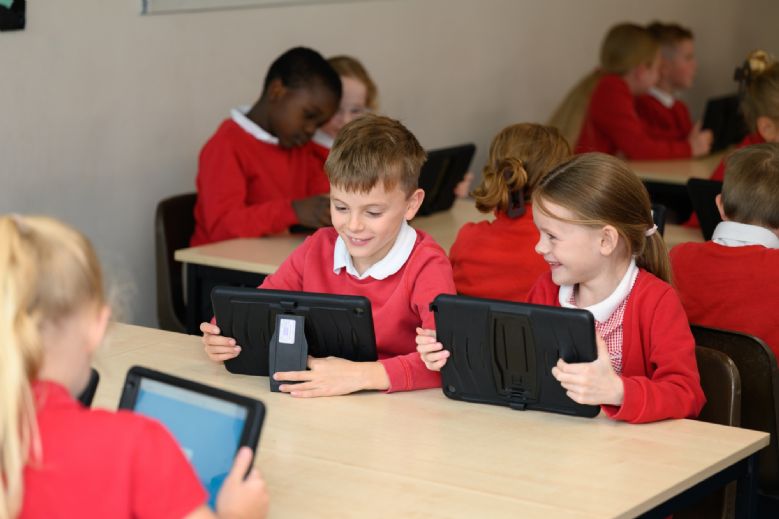
Computing at Hollywell Primary School intends to develop confident and adaptable users of technology through an inspirational and relevant curriculum.
We want to equip our pupils with the ability to become active and safe online users in a world where computing is an integral part of everyday life.
Our aim is to provide a skills and knowledge-based computing curriculum that is diverse in experiences and allows the pupils to apply learning in a range of digital contexts. We aim to give the pupils at Hollywell the opportunity to apply their skills throughout selected units of our interwoven curriculum.
Curriculum Overview
Computing is a fundamental part of the Hollywell curriculum. There are three main ways that computing is delivered in the curriculum.
It is taught discretely in our hourly computing sessions in Years 1–6 once a week, which builds on the introduction to computing established in EYFS.
The second part involves using computing as part of the children’s personal development. This involves the teaching of a movie-making unit as part of the progressive Community Action strand of GROWTH Enrichment. It also incorporates assemblies delivered to the whole school and in classes. The inclusion of Safer Internet Day also covers this part.
Finally, computing is delivered across the interwoven school curriculum that encourages children to use technology as a means for research, presentations, data collection and analysis. This involves such things as Times Tables, Rock Stars, My Maths, Microsoft Teams and the use of iPads to aid analysis for the use of PE.
The discreet aspect of the Computing curriculum is underpinned by the Teach Computing scheme of work, which provides progression and a clear focus on learning key knowledge and skills.
The Teach Computing Curriculum exposes children to a wide variety of digital tools, technological skills and innovations to enable them to become informed members of the digital community.
The scheme provides the scaffolding for teaching key skills alongside the flexibility to change the context to meet the needs of our own curriculum. Since changing to the Teach Computing Curriculum, we have worked hard to adapt certain areas of the curriculum so that it intertwines with our whole-school curriculum. For example, we have adapted the Audio Recording unit in Year 4 so that children create their own podcast based on the Ancient Egyptians. Furthermore, Year 5s create a video that interlinks with their Vikings topic and Year 3 create a stop-motion video based on The Stone Age.
Curriculum Progression of the Three Computing Strands
EYFS
Computing in EYFS is interwoven throughout the curriculum. Children are introduced to basic technology within the classroom, such as using the interactive whiteboard, CD players, iPads and digital cameras.
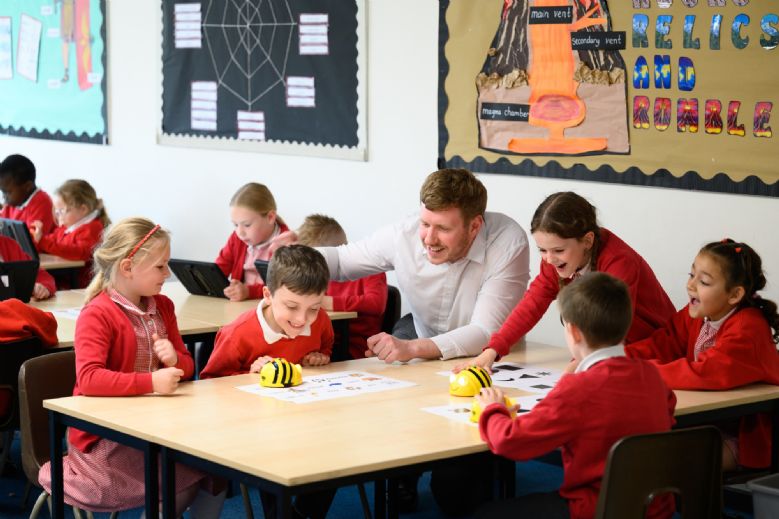
The children will talk about different ways that we use technology in school and outside of school. Furthermore, EYFS children are also introduced to a Bee Bot and this will give them their first experience of coding in computing by inputting instructions to the bot and seeing the outcome.
Digital Literacy
Year 1
Children learn how to use technology safely and respectfully. They explore what personal information is and why it should not be shared online. Pupils are introduced to the basics of using a device safely, logging in, and navigating simple digital tools.
Year 2
Children build on their knowledge of online safety by learning how information can be communicated online. They explore how to use the internet safely for research, understanding that websites can contain reliable and unreliable information. They also learn how to keep personal details private and what to do if something online makes them uncomfortable.
Year 3
Children learn why passwords should be kept secure and what could happen if passwords are shared. They explore safe communication online and consider age restrictions on digital content. Pupils also learn to question online content and understand that not everything they see online is true, developing skills to identify trustworthy information.
Year 4
Children are introduced to the concept of a digital footprint and start to understand how their actions online can leave lasting traces. They further develop skills to evaluate online content and decide whether information is reliable, safe, or biased.
Year 5
Children learn about the wider impact of sharing information online, including photographs, videos, and written content. They study how digital content can be edited or manipulated and why this means online material should not always be taken at face value. They also explore responsible online communication.
Year 6
Children learn about online communities, including how blogs work and the responsibilities of posting publicly online. They explore how sharing location data or personal details online can present both risks and benefits. Pupils develop the skills to behave responsibly and safely when interacting online.
Computer Science
Year 1
Children are introduced to simple algorithms and learn how to sequence instructions. They begin to recognise when things go wrong and use debugging to fix errors. Pupils are introduced to basic programming ideas using simple, block-based tools.
Year 2
Children build on their understanding of algorithms and start to write programs that include loops and events. They explore how instructions can run in order and how programs can be improved through testing and debugging.
Year 3
Children deepen their thinking about programming by learning how sequences, repetition, and timers work within algorithms. They begin to recognise the relationship between flowcharts and program structure. They are introduced to the idea of selection, where computers make decisions based on conditions.
Year 4
Children explore the internal parts of a computer, learning how hardware components work together. In programming, they begin to use more complex blocks, creating animations and interactive programs that use repetition, inputs, and controlled movement.
Year 5
Children apply their programming skills to create games, interactive systems, and simulations. They learn how variables can store information and how logical reasoning helps them predict the behaviour of algorithms. They also explore how computers model real-world processes.
Year 6
Children design and build more sophisticated programs using variables, functions, timers, and conditional statements. They create games and systems that use user input, scoring, and multistep logic. Pupils develop confidence in debugging and evaluating programs for efficiency.
Information Technology
Year 1
Children learn how to create and organise digital content such as pictures or simple data. They use basic tools to create pictograms and digital stories and learn the fundamentals of typing and mouse control.
Year 2
Children develop their digital creativity by making simple digital music, graphics, and presentations. They begin to use data-handling tools, organising information into simple charts or tables and understanding how digital content can be changed and improved.
Year 3
Children begin working with a wider range of digital tools, including typing skills and using digital devices more independently. They create charts and graphs and use digital tools to present information clearly and effectively.
Year 4
Children learn how to design and format documents, adjusting text, images, layout, and style for purpose. They also begin working with more complex data, including basic formulas and functions in spreadsheets, and explore how digital tools can be used to create animations.
Year 5
Children create and manage more advanced digital content, such as databases and concept maps. They use spreadsheets to solve multistep problems and present data meaningfully. They apply design skills to create structured, well-presented digital documents and media.
Year 6
Children use spreadsheets to perform calculations, plan events, and manage data effectively. They develop skills in creating quizzes, presentations, and interactive content aimed at specific audiences. Pupils refine digital projects by planning, creating, and evaluating their own work.
*Computer Science underlines the knowledge and skills relating to programming, coding, algorithms and computational thinking. Information Technology underlines the knowledge and skills relating to communication, multimedia and data representation and handling. Digital Literacy underlines the knowledge and skills relating to online safety and technology uses, all of which are covered whether combined or discreetly.
A high-quality computing education equips pupils to use computational thinking and creativity to understand and change the world. Computing has deep links with mathematics, science and design and technology, and provides insights into both natural and artificial systems. The core of computing is computer science, in which pupils are taught the principles of information and computation, how digital systems work and how to put this knowledge to use through programming. Building on this knowledge and understanding, pupils are equipped to use information technology to create programs, systems and a range of content. Computing also ensures that pupils become digitally literate – able to use, and express themselves and develop their ideas through, information and communication technology – at a level suitable for the future workplace and as active participants in a digital world.’–Computing Curriculum, Programmes of Study, 2013